What is AI Landscape Design?
And what are its best features?
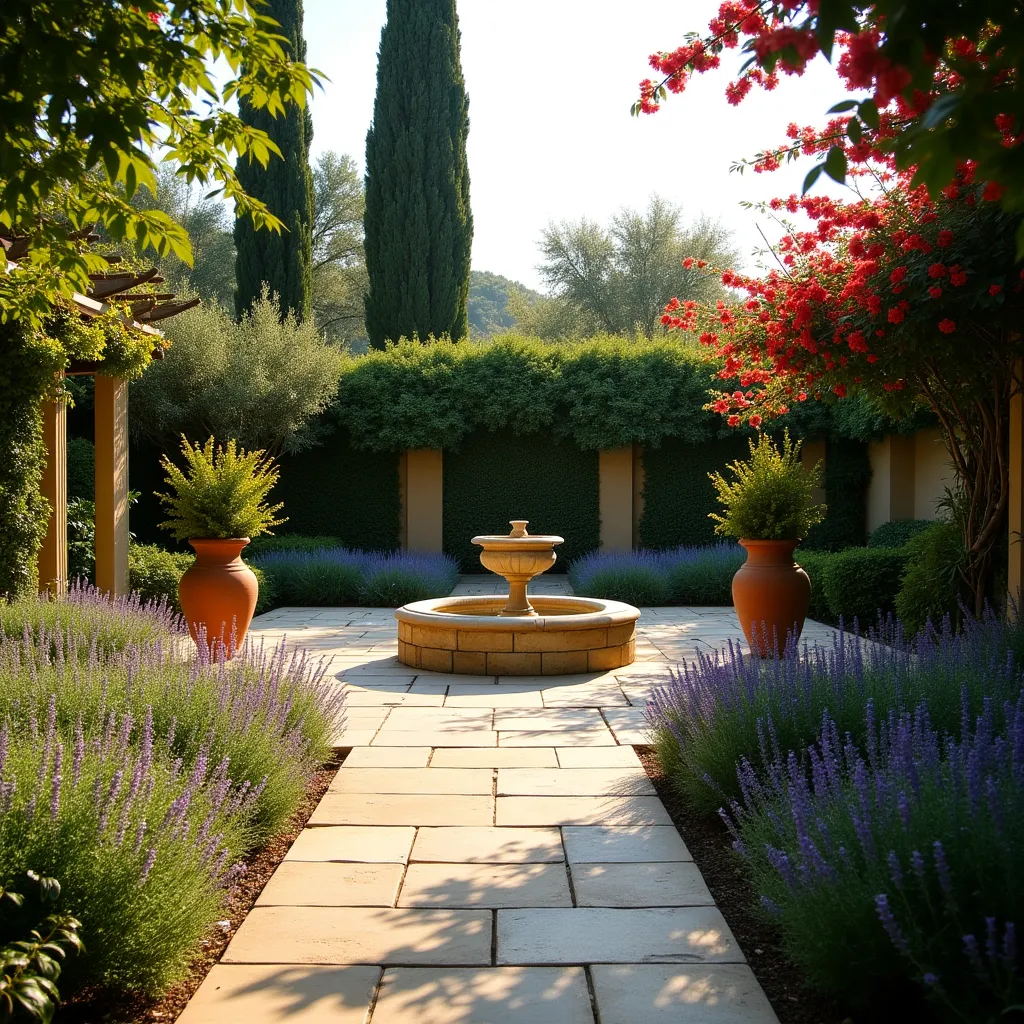
AI landscape design is about using the generative abilities of AI to help with your landscape design journey. This could be for your front yard, backyard, or even a commercial outdoor space. You might be a homeowner looking to redo your outdoor space, or a landscape contractor or designer looking for some assistance. If you are using the generative abilities of AI to help with your outdoor space project, that is AI landscape design.
In its most popular form, that involves generating actual images and designs of your outdoor space. But using AI to get some ideas and feedback in text form on your project well counts as AI landscape design as well.
Since the AI's can use actual images of your space, as well as text descriptions you provide, they are able to get a lot of context about what your outdoor space looks like, and the type of things you are looking for. And with all that information they are able to generate designs that are really custom to your actual layouts and needs.
In this article we cover some of the
- benefits of AI landscape design
- how it actually work behind the scenes
- who its useful for
- a look at some of the different tools out there
- some of its limits and drawbacks
Table of Contents
What does it look like?
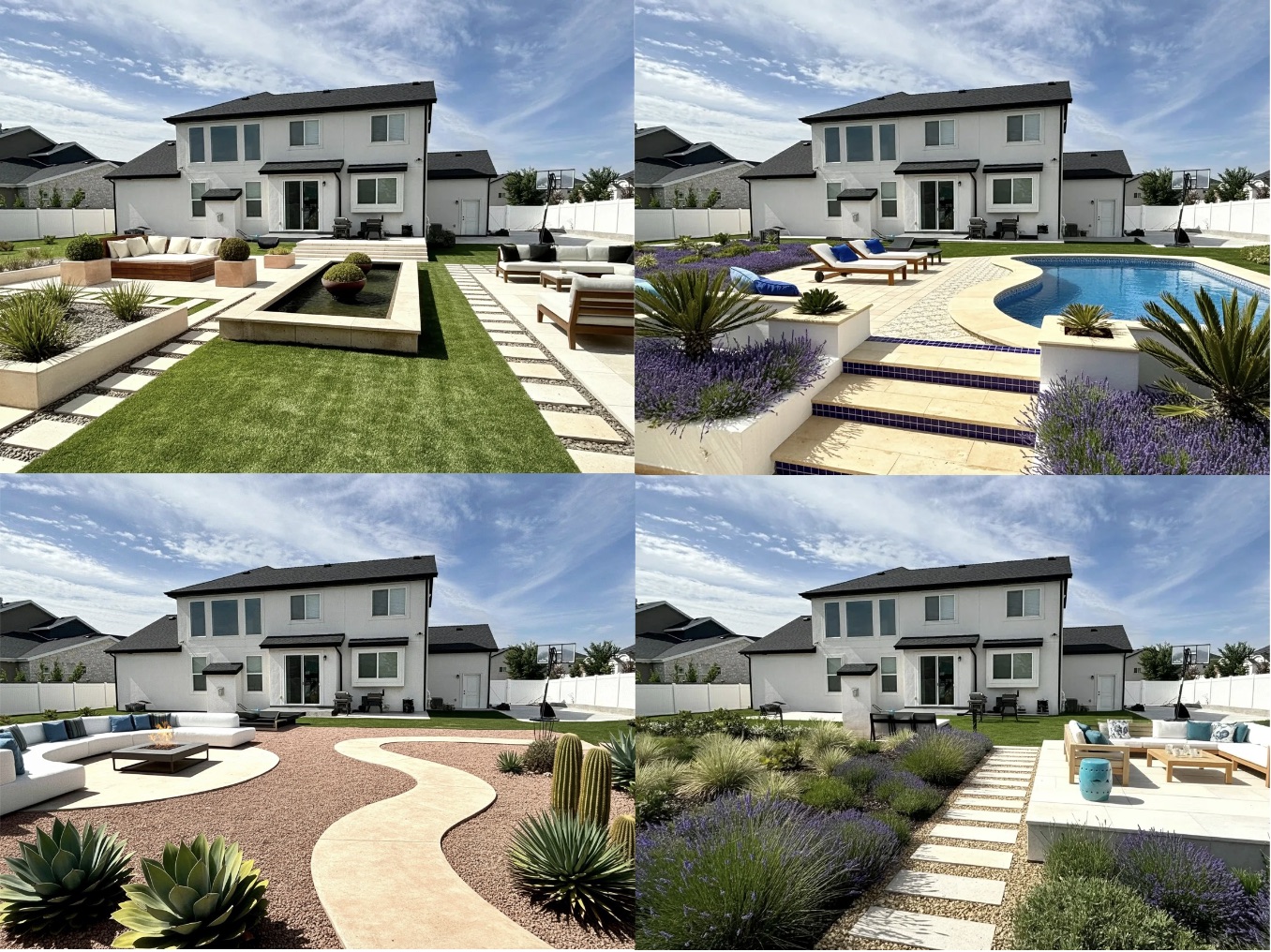
In case you are not that familiar with AI landscape design, here are some typical images of what it might look like. You provide an image of your outdoor space, and the AI returns designs based on styles or descriptions you provide it.
Benefits of AI Landscape Design
The major benefits of AI landscape design are
- simplicity
- speed
- creativity
- cost
Let's go through these one by one
Simplicity
You don't need to learn a complex design program, or even know much about landscape design. You don't need some creative flair to get good outcomes. In general you just need a picture of your outdoor space, and to be able to describe what you would like to see, or choose from a selection of styles. That's it. There is not really much more to it than that
Speed
It is fast. You can get start getting multiple design options back in minutes, or even seconds. You don't need to spend time actually building something out in a program, or wait for a designer to get back to you with some drawings.
Creativity
The AI is able to come up with a lot of different options, and quickly. What is great about this is that it can come up with layouts and designs you might not even have thought about. You don't need to worry about being creative or up with layouts and designs you might not even have thought about. You don't need to worry about being creative or artistic. It can handle that for you.
Cost
For not too much money, usually in the region of $20 - $40 you can start getting some nice designs that are customised to your outdoor space. A number of app even offer free renders, though of course the quality can vary between apps.
So, let's look at some of the ways AI can help with landscape design projects these days.
Drawbacks and limitations of AI Landscape Design
We've covered the benefits, so lets cover some of the drawbacks and limitations as well
Lack of accuracy and customisation
The AI's are great at coming up with layouts and different designs, based in general on the styles and descriptions you provide. However, if you start getting very specif on what you want, they can start to struggle with that. For example, requirements like "I want a row of 6 bushes in the back 2 foot high spaced at 3 feet apart, with a row of 1 foot high flowers in front of them spaced at 2 feet apart" is going to give the AI a hard time, and you might get frustrated when you keep trying and it does not give you what you want.
For sure specific requirements, apps that give you the ability to drag and drop plants and furniture and position and resize them as you like are your best bet, if this is what you are looking for. These are the more typical features you would get on a landscape design app and not really AI related
Inability to assess site conditions
Of course a massive drawback is that the AI cannot actually assess site conditions such as sun and shade areas and timing, drainage and soil condition, to name a few. You could provide these requirements in the descriptions, and the AI may attempt to design the plant selection and layouts around them, but it something you would definitely want to double check.
This is one area where having a landscape contractor or designer would really make a difference. To be ablt to provide the best designs and plants based on actual site conditions.
That said you could chat with AI's also to let it know of any concerns you have, and how you might best tweak your design for that, but in general the image generations coming out will not be able to account for these environmental conditions too well.
2D to 3D renders
Wouldn't it be great if you could pass an AI a 2D drawing, and it throws out some amazing 3D renders! It is not quite there yet, and these capabilities are still in the realm of CAD like tools.
How it works
Great. Now that we covered some of the use cases, benefits and drawbacks of AI landscape design, let's learn a bit more about this mysterious technology actually works. We'll cover some of the most common image generation techniques used, along with a description of how they work in the background. Hopefully this should make working with AI landscape design more fun. And maybe help you be a bit more understanding if your designs ar not coming out jus the way you like!
Text-To-Image
Text-to-Image is the most "basic" form of AI image generation, where we provide a text prompt and the AI generates images for us based on our description. This can generate some stunning results though in the context of landscape design has a drawback in the sense that we usually want the design generations to be applicable to our outdoor space, in terms of layout and spacing. So if the design generated does not look at all like our space in terms of layout, it the image may not be as useful as we would like.
There are techniques we can use to help with this, such as allowing the users to upload an image of their yard, and the AI uses that as a reference to generate the designs. This is actually how our design chat tool works, and it can give some pretty useful results, all using just text to image generation.
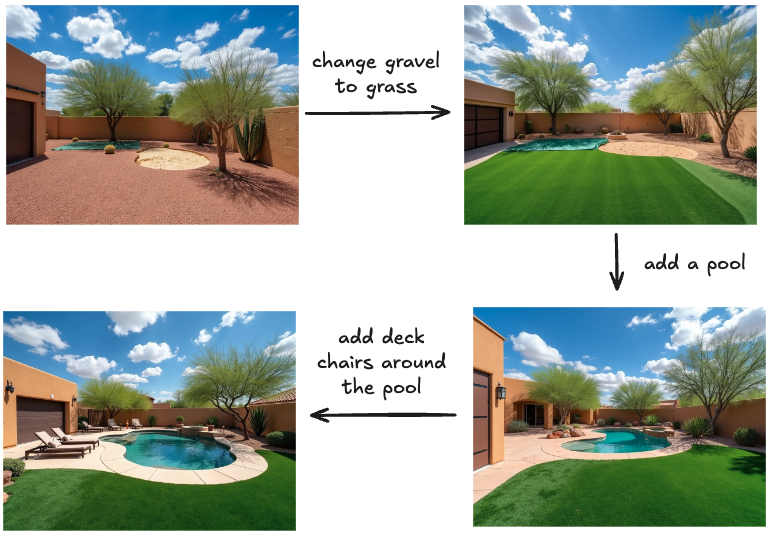
Here is an actual example from our tool, that uses text-to-image generation and instructions from the user to help build out the landscape design they are looking for.
Inpainting
This is probably the most common and useful way to generate images for AI landscape design. You select an area of the image you want to change, add a text description of what you would like to see in that area, and the AI fills it in for your. This is really useful because, since it changes specific parts of the yard only, it helps maintain accurate layout and spacial relationships, making the results quite useful and more realistically applicable in your yard.
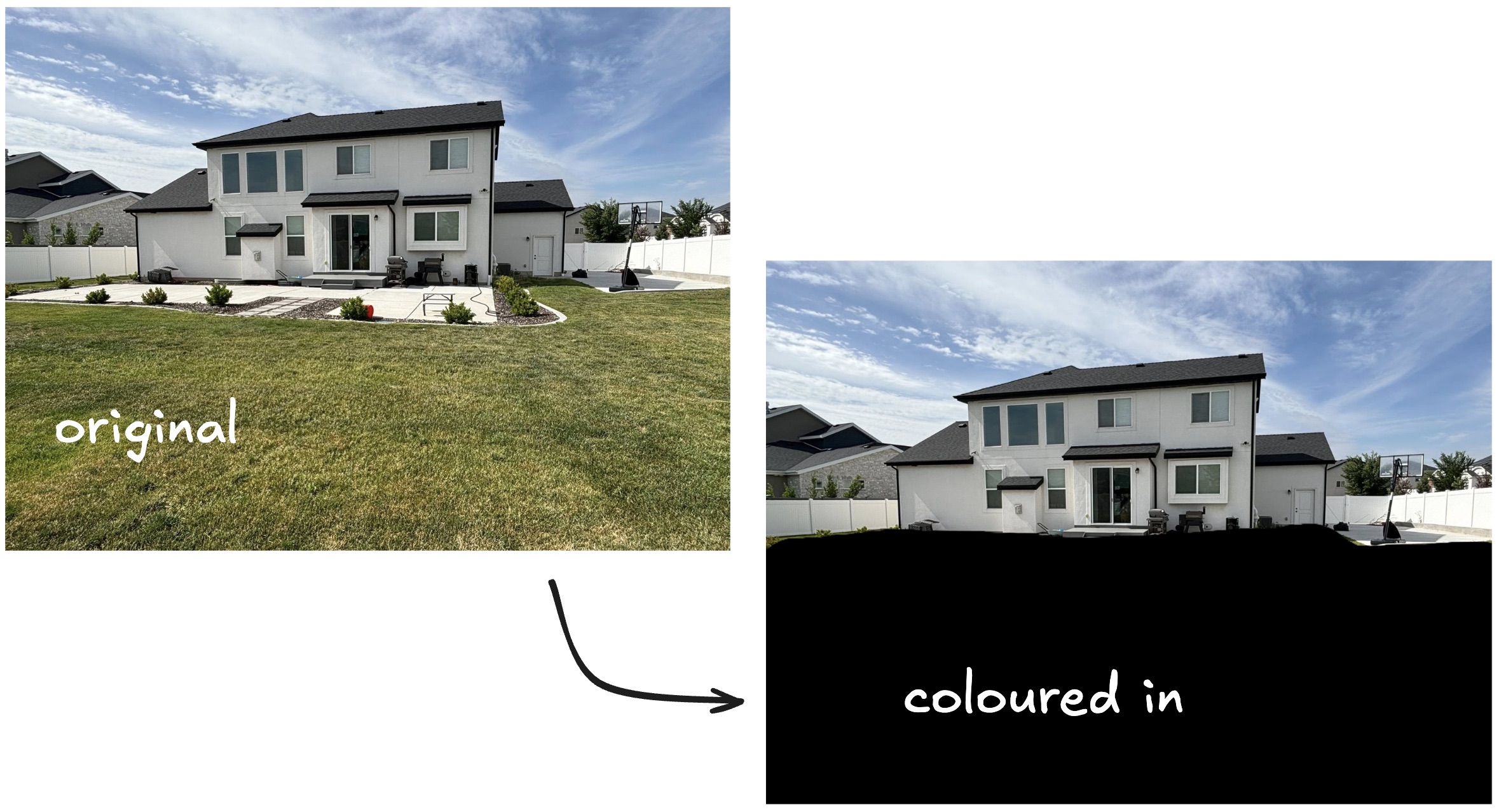
Here is an example of that in practice. You have your original image on the left, and colour in/select the parts you would like to change (shows as the black coloured in parts on the right image).
Then you add a text description of what you would like to see in that area, and the AI comes up with some designs for you, only changing things inside the areas you have have coloured in (also called the masked area). This is how the Redesign tool on our site works.
The best inpainting models look at the image as whole, as well as the masked areas, to help fill them in with designs that blend in well with the rest of image. Here are some example results from using inpainting on the above image.
Some AI landscape apps auto detect the yard areas that need to be masked, while other require you to specify them manually.
Image-to-Image
Image to image methods are also good for preserving the structural layout and spatial relationships of the original picture. These can work different ways, a few of which we will cover here. They usually take an initial picture as the control image, and text description of how you would like to update the image.
Generations using Depth Maps
This technique creates a depth map of the original image, and then use that depth map to create a new picture based on the provided text description. Here are some examples of what generated depth maps might look like. The depth map is shown on the left, and the original image on the right.
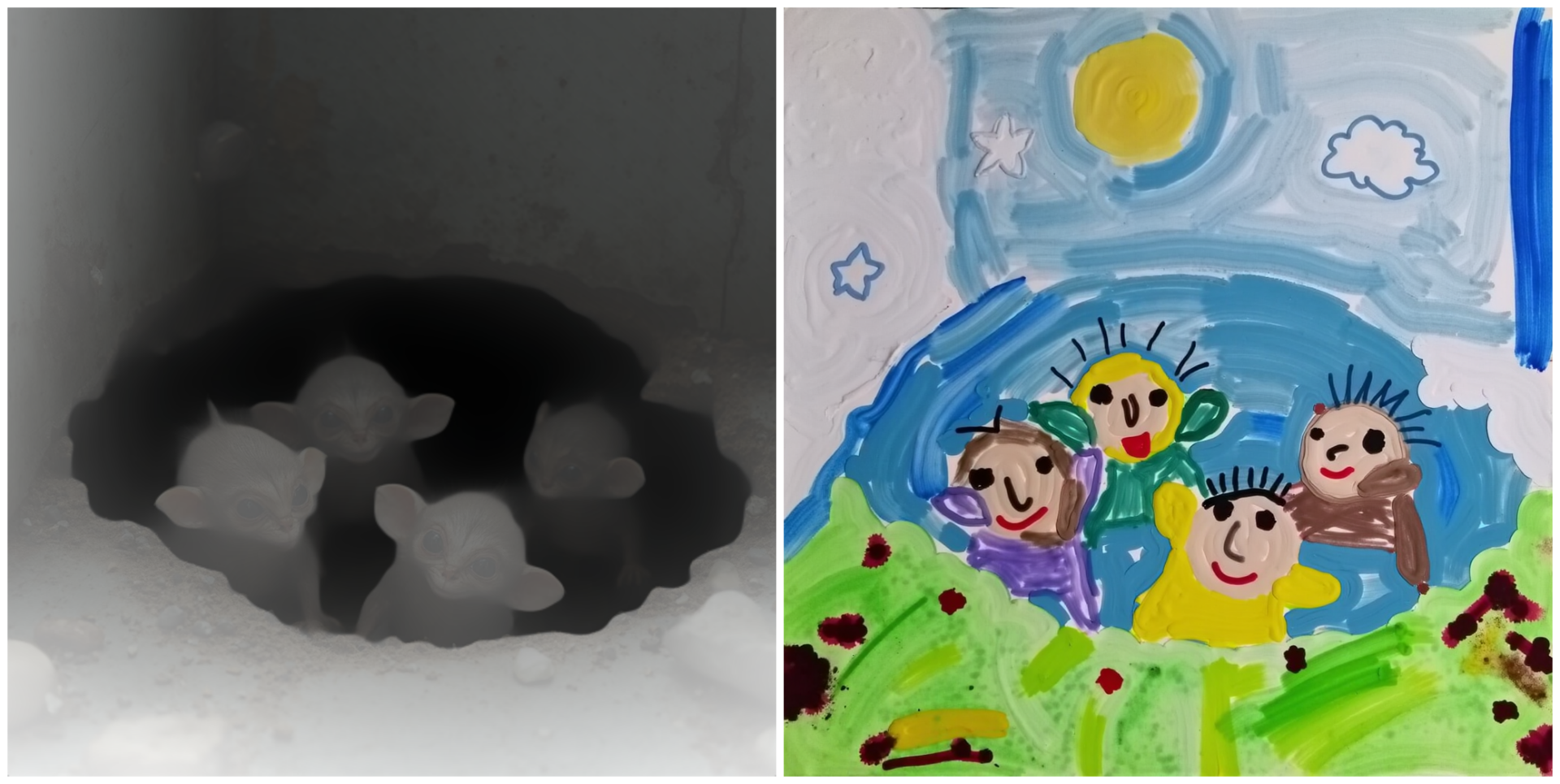
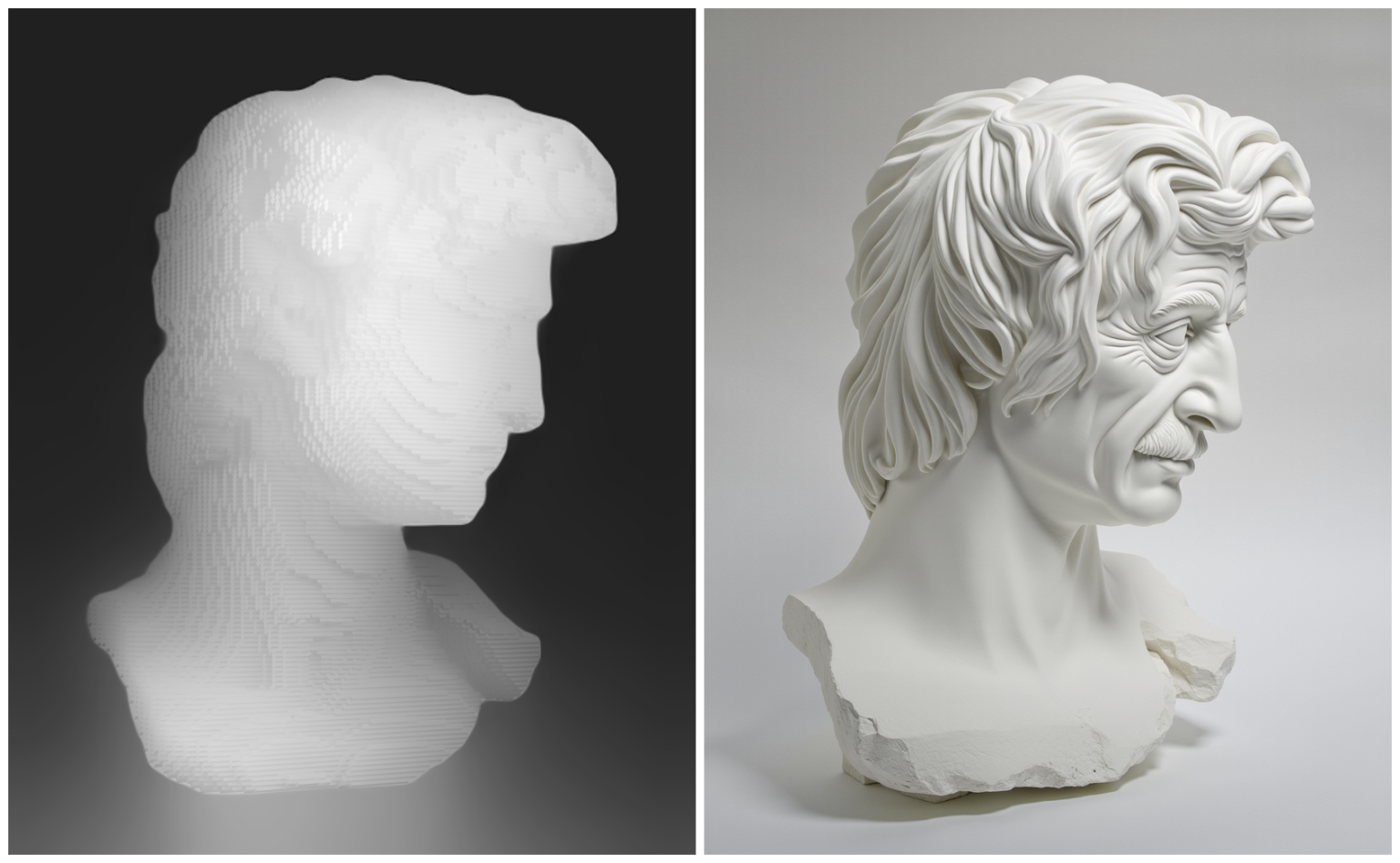
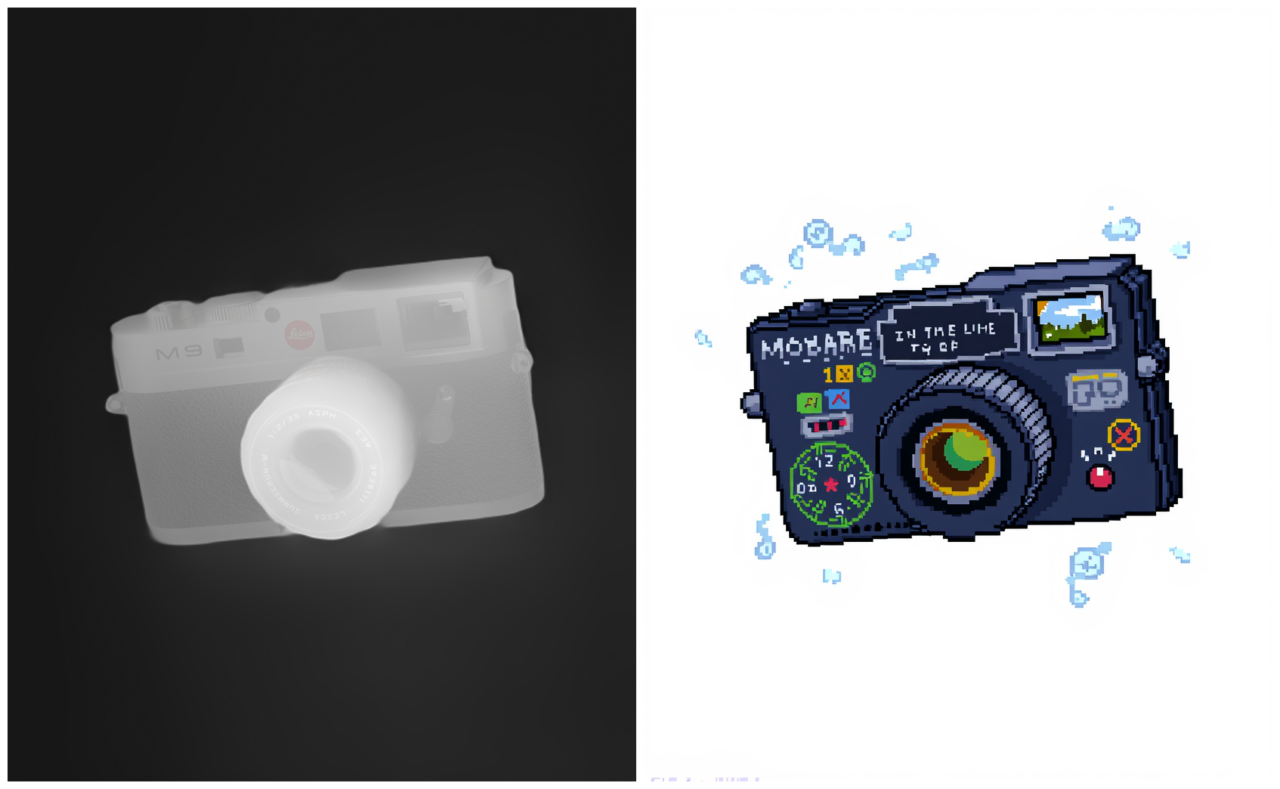
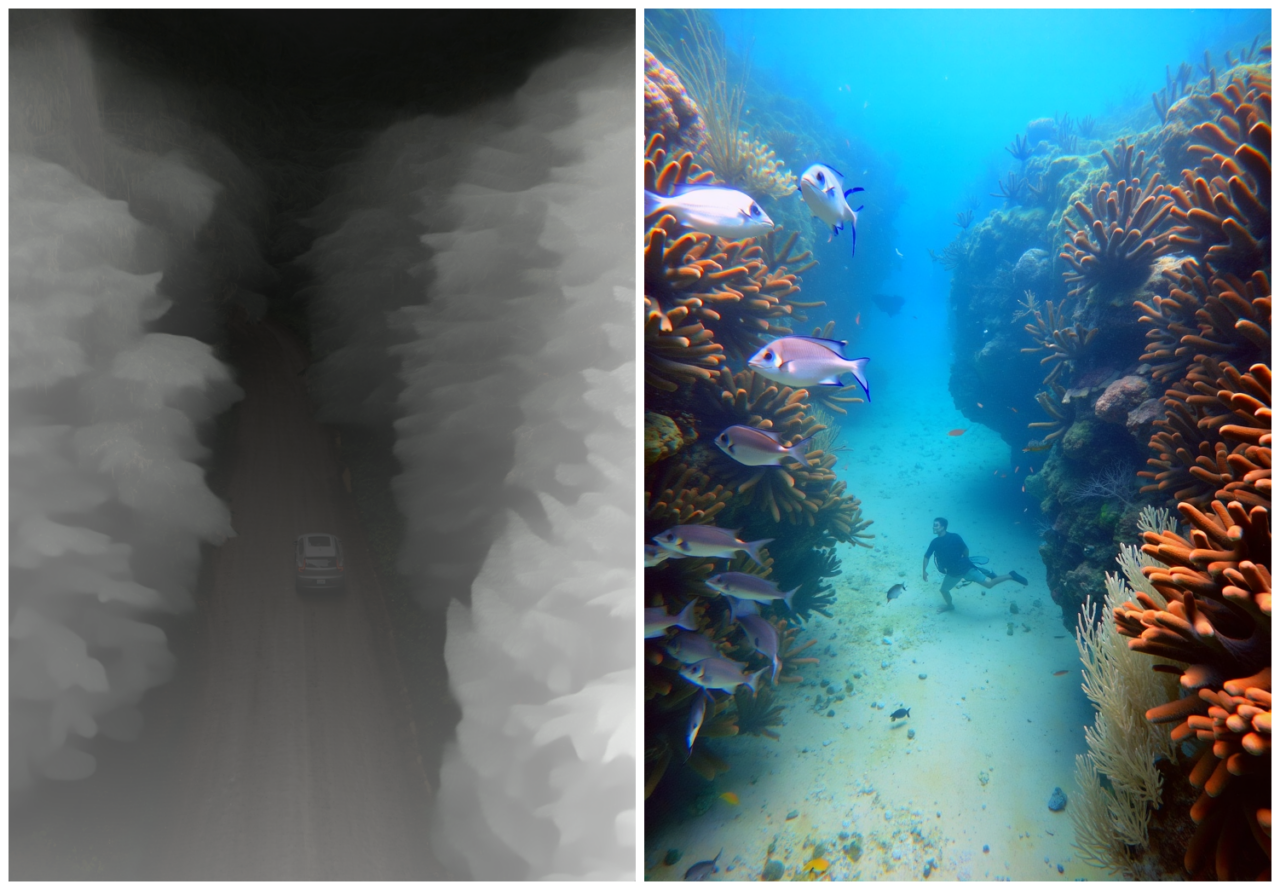
Source: Black Forest Labs
This actually how our Transform tool works. Here are some examples of what that looks when applied to a yard. You will notice it changes the entire area, including building facades and the sky. I find these renders really fun to look at. And if you are looking for inspiration and creative ideas it may be just what you need.
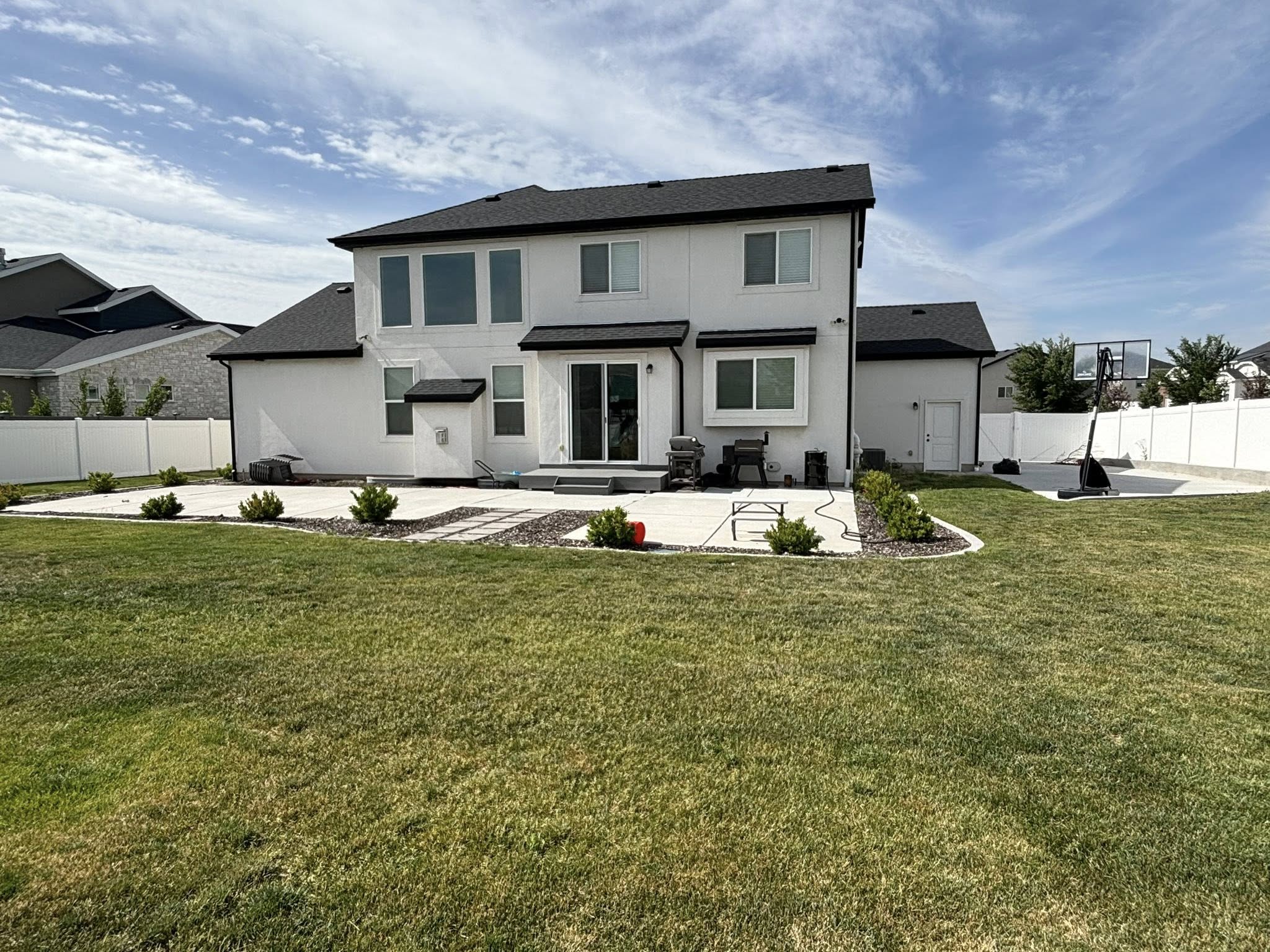
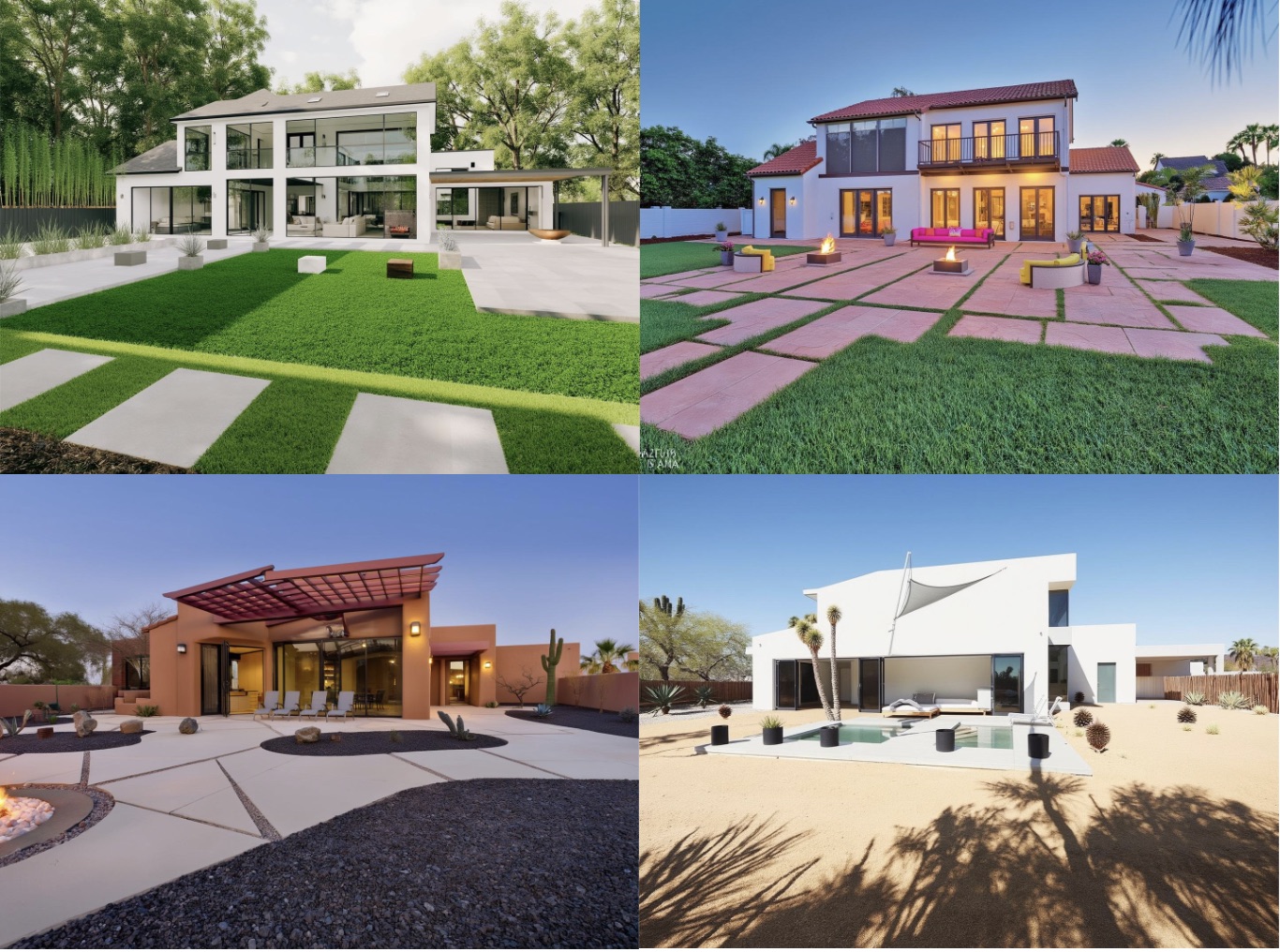
Results accuracy can vary sometimes, especially depending on the input prompt and source picture. Sometime the AI can get confused and identify the wrong area as the main house, or not understand correctly which part of the image is the sky, especially for example if it is a dark sky. Which can result in some strange outputs.
Another disadvantage of this method is that adding new items is difficult, since the AI is trying to preserve contours on the depth map, if you try to add things like a table, bench and chairs, footpath, the AI may struggle to incorporate these ideas along with the existing depth map.
Generations Using Line Maps and Edge Detection
Another strategy for AI image transformation using line maps and edge detection. Here the AI converts the original image into a set of lines and edges, and then uses that as the base for the image transformation, as well the text description provided. Here are some example of that the edge and line maps might look like. The original image is on the right, and the line map image on the left.
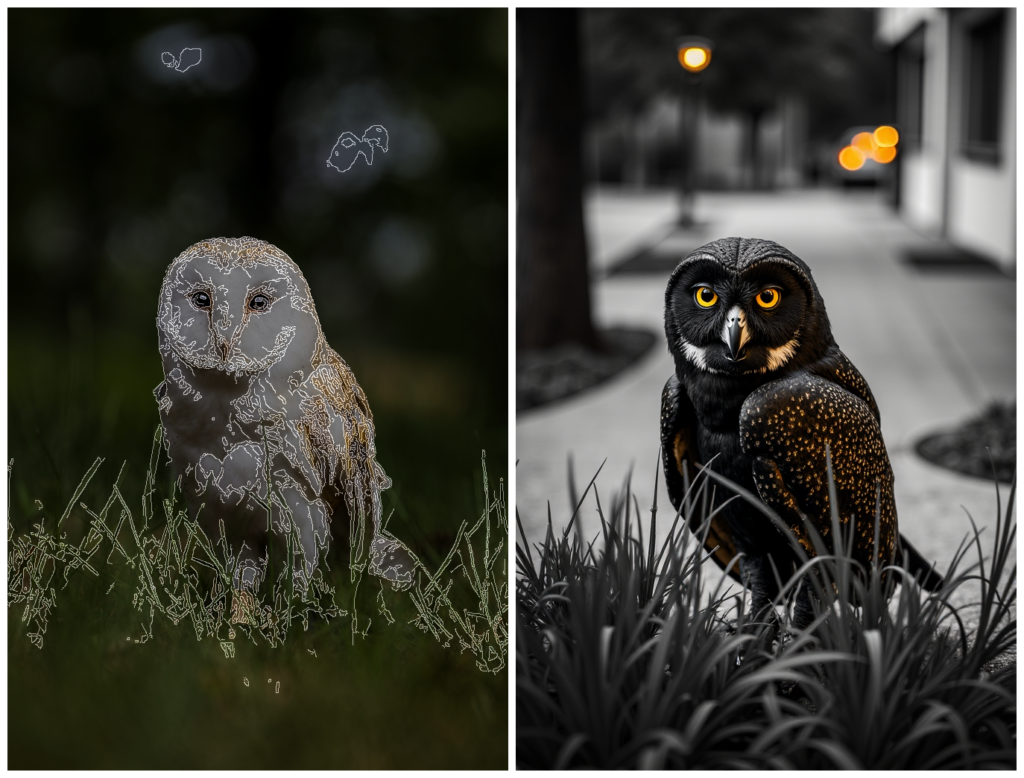
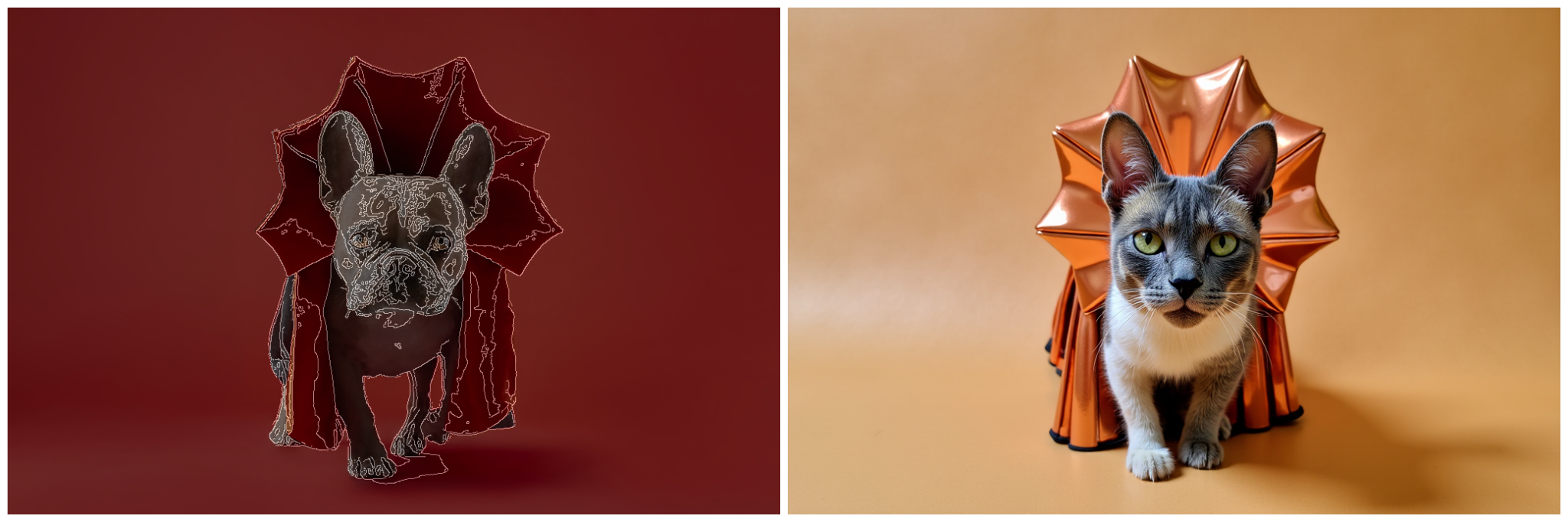
I have found that the depth perception method provides better results in general for landscape type transformations
Removal Tools
These removal tools work similar to inpainting, except you colour in (mask) an area of the image you would like to remove an item, and the AI removes it. So this could be useful for removing existing elements from your yard picture.
Well, that was pretty technical! Hope it was useful though knowing what is happening behind the scenes for some of these AI image generations. And why sometime the results can get a bit wacky and not exactly what you were hoping for!
So is AI landscape design useful, and who is it useful for?
There are 3 main groups of people who would find AI landscape design useful. The needs and requirements of each of these groups will differ. These groups are
- homeowners looking to redo their backyards
- landscape contractors
- landscape designers
Homeowners looking to redesign their backyards
In general, I would say in its current state it is most useful to homeowners looking to re-do their backyards. Since they may not have the stringent requirements that designers and contractors might have.
Homeowners are more likely to be in the ideation stage, looking for creative ideas and inspiration for their outdoor space, and maybe not familiar with too many design tools or how to use them. AI landscape designs can provide an easy way to get some great designs for your outdoor space. Will the results always be great and useful? Not always. A lot of the results can depend on the quality of the input page, and how well suited it might be for good design transformation. E.g being taken from a good distance, not too close, not too far, e.t.c. It also depends on the users being able to use any inpainting and design tools well, though the aim of a good app is to make this as user friendly as possible.
I find also that the AI works best when you give it a general idea and layout of what you would like to see. It can always meet expectations when asking for things like plants and furninture to be placed in specific places, and specific spacings and heights. Which can be frustrating for users who are trying to achieve that, and many not be happy with the results. That is why some AI landscape desing tools also allow you to drag, drop and resize elements like plants, decor and furniture, so that you can place them exactly as you like them
If you are going to be happy with some general ideas, layouts and concepts, I think you will find the AI generated landscape desings in general much more pleaseing.
It is definitely useful, in the sense that there people out there who would like to get an idea of what their backyards might look like with a new look. As well as searching Pinterest boards, looking for ideas on popular home design websites like Houtz, people can now also use AI to help generate ideas, and see what those ideas might look like in their actual backyards
Gardening enthusiasts
I think gardening enthusiasts who are looking for more exact placment and heights of plants, might not be as happy with AI designs, and they may lack the accuracy that is really important to them.
Landscape Contractors
AI landscape design could be useful for contractors who would like to provide some idea concepts to their clients. AI landscape designs can be put together in minutes. Other tool maybe be too complex or take too much time to put designs together.
The drawbacks could be though if the AI comes up with unrealistic designs, or if the contractors are not able to get the final designs looking just the way they want.
Landscape Designers
Landscape Designers are also likely already familiar with other design tools, so may not find AI driven ones as useful. Basically they have different expectations and requirements from a tool than homeowners would, and may not find the results for AI powered tools as useful.
The AI generated designs may also not take things like sun and shade requirements for the plants, drainage and other site conditions, which would require a professional and actual site inspection. So these are limitations that might also be important to landscape designers.
Landscape Design Chat
You can chat with AI models like ChatGPT to get a bunch of useful information for landscape design and backyard projects. Getting inormation on things like
- plant ideas for your location and climate, and aesthetic preferences
- maintenance plans for your plants
- design ideas for your outdoor space
- project planning and steps for your outdoor transformation
- ask questions you have on landscape design, plants, maintenance, e.t.c
The Future!
AI image generations is getting better every day, and with that, so will be the ability to generate better and better designs for your yards with AI.
Hope that was an insightful introduction to the worlds of AI landscape design! If you want to see what it looks like in practice, do make sure to try out some of our tools! We have some free ones as well for getting started!